
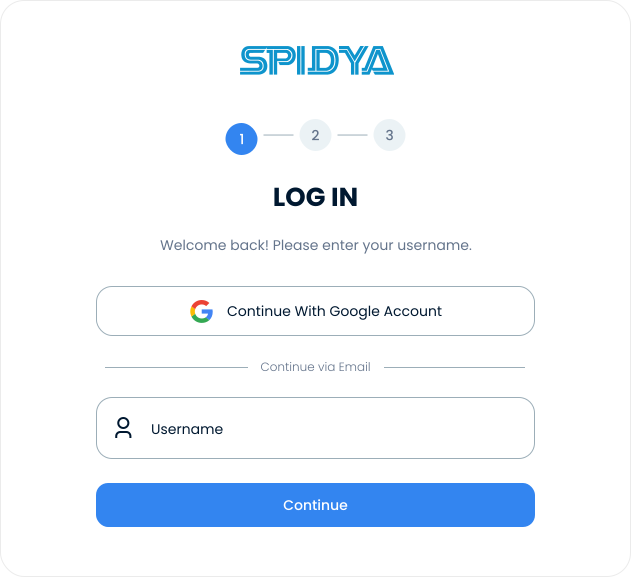









Identity Verification
Secure Access via Google & LDAP Identity Verification!
Streamline your identity management: allow users to sign in swiftly and safely using their corporate credentials through Google & LDAP identity verification.
Cheetah Platform · Login
Example
Welcome
Continue with your corporate account
Sign in with Google
or with LDAP
Username (domain\user)
••••••••
Sign in with Active Directory →
✓ SSO Active
✓ Encrypted Connection
✓ AD Sync
LDAP Identity Verification
Problem & Solution
CURRENT STATUS
Separate username and password management for each application.
Manual registration for every system during onboarding.
Manual access revocation across all systems during offboarding.
Password reset requests overwhelm IT.
Active Directory is current, but users are not synchronized.

WITH CHEETAH
Google & LDAP Identity Verification
Access to all systems with a single username and password via identity verification.
Added users are automatically reflected.
Deleted accounts are instantly deactivated.
Password reset requests drop to zero, preserving IT bandwidth.
User directory is always current with automated identity verification.
Features and Benefits
Centralized Identity
Management
LDAP & Active Directory Integration
Connects directly to your existing Microsoft Active Directory or OpenLDAP infrastructure. Users log in automatically with their computer domain passwords.
LDAP identity verification
Google Workspace Integration
One-click login with corporate Google accounts for organizations using Google Workspace. Account management continues through Google Admin.
Google SSO
Automated User Synchronization
Every change made in AD or Google—new users, group changes, account deletions—is automatically reflected. No additional action is required from IT.
Automated Synchronization
Step by Step
How Does LDAP Identity Verification Work?
Establish the Connection
Enter your LDAP server address or Google Workspace tenant information in the management panel. Test the connection with a single click.
Map the Users
AD groups or Google organizational units are mapped to Cheetah roles. Define it once, and the system manages the rest automatically via identity verification.
Enable Synchronization
Set the automated synchronization interval. Instant or periodic — the choice is yours. Newly added users are reflected within the specified time.
Users Log In
Users log in with their existing corporate credentials — automatically via browser or using their domain password on desktop.
Usage Scenarios
Who Uses LDAP Identity Verification?
IT Manager Active
Directory Environments
Instead of adding 500 users to Cheetah one by one, I mapped the AD group. Onboarding is now zero workload — when a user is entered into AD, they automatically appear in Cheetah.
IT workload eliminated
Human Resources
Onboarding / Offboarding Processes
When I remove a departing employee from the HR system, their AD account closes, and Cheetah access ends instantly. No separate steps, no risks.
Security gaps eliminated
CISO / Security Team
Compliance and Audit Processes
During the KVKK audit, I demonstrated all access activities through centralized AD logs. Cheetah does not keep separate logs; identity management is at a single point.
Centralized auditing achieved
F.A.Q
Frequently Asked Questions
What is LDAP Identity Verification?
LDAP (Lightweight Directory Access Protocol) is a protocol used to access corporate user directories. By integrating with directory services like Active Directory, it enables users to log in to applications using their existing corporate identity verification credentials.
Can I use it if I don't have Active Directory?
Yes. Organizations without Active Directory can choose Google Workspace integration. One-click login is available with a corporate Google account. Both integrations are offered under the same feature.
When is Cheetah access revoked when a user is deleted from AD?
Depending on the synchronization settings, updates are performed instantly or periodically. When instant synchronization is enabled, an account deleted from AD is simultaneously deactivated.
Is the LDAP connection secure?
Cheetah supports SSL/TLS encryption for LDAP connections. All credentials are transmitted via an encrypted channel through Google & LDAP identity verification, and plain text transfers are not permitted.
Can both LDAP and Google integration be used simultaneously?
Yes. Different verification methods can be defined for different departments or user groups. Hybrid structures are supported.
Does it work with the authorization management feature?
Yes. Group information from LDAP is directly mapped to Cheetah’s role-based authorization management. With the AD group = Cheetah role logic, you can transfer your corporate authorization structure to the platform via Google & LDAP identity verification.
Contact Us
Carry Your Business Processes into the Future with Digital Transformation!
Contact us for digital solutions tailored to your business processes.
Let us analyze your needs and create a clear roadmap.
